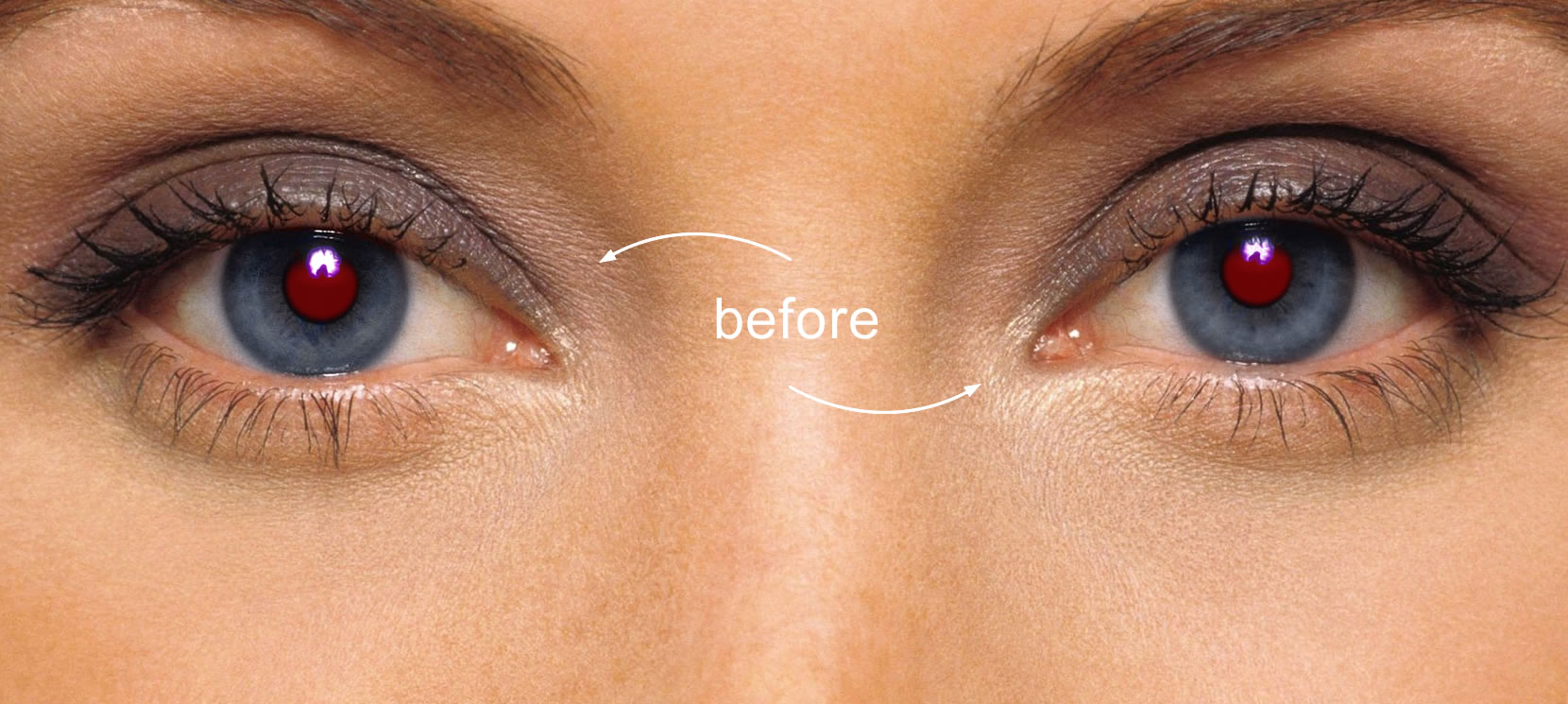
Often, red eyes appear in pictures. Where does this effect come from? In fact, when shooting with a flash, light hits the fundus of the human eye and is reflected. The vascular membrane of the fundus is red. From here and such an effect.
How to avoid red-eye when shooting. If there is not enough light in the room, and your camera has only a built-in flash, then to avoid the red-eye effect, you can cover the flash with something translucent. This material can be, for example, a thin sheet of white paper or a napkin. Of course it should be white, not colored 🙂 This will serve as a kind of diffuser …
Also, many cameras have a special mode that will save you from red eyes. In this mode, the camera fires several quick flashes beforehand. Side light can also get rid of this effect.
I use an external flash on my shooting, in low light. Sometimes it is fixed on the camera, and sometimes I hold it in my hand using synchronizers (hand position with flash up and slightly to the side).
How to remove red eye in Photoshop
If it so happened that “vampire” eyes could not be avoided when shooting, then you will have to do it after … If you have Photoshop installed, then the easiest way is to use the standard “red eyes” tool.
How to remove red eye from photo
Just click on the red part of the eye and see the result. Sometimes the program cannot correctly recognize the desired area and can correct the wrong one. As a result, a bruise may appear on the face. In this case, we cancel our manipulations by pressing the Ctrl + Alt + Z keys.
Using the same tool, but at the same time we will not just click on the desired area, but select a rectangular area of the eye. Then this tool recognizes the desired area much more correctly.